fndouble-tap: hands-free
Hold, or go hands-free
Hold fn for a sentence. Double-tap for a long one, then tap once to finish.
 your language.
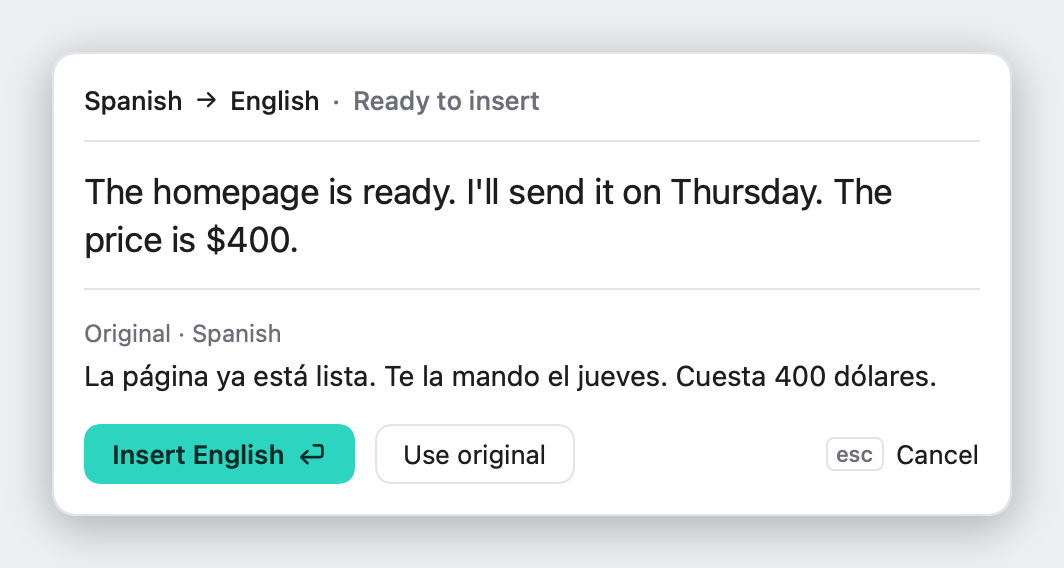
Hold fn and say it the way you'd say it out loud. Speaketti writes clear English where you're typing, shows it to you first, and never sends your voice anywhere.
Types wherever you can type
MailSlackMessagesWhatsAppTeamsOutlookGmailGoogle DocsNotionChatGPTVS CodeNotesSpeaketti hears which of 20 languages you're speaking and writes the English a colleague would write, not a word-for-word copy.
Real results: each sentence was spoken by a Mac voice and turned into English by Speaketti, on the Mac, with no internet.
20 languages. Speaketti works out which one you're speaking.
One key from start to finish. Watch a German sentence go through it.
Anywhere you can type: mail, chat, docs, the browser.
0.0 sIch habe die Rechnung gestern bezahlt.
while you talkI paid the invoice yesterday.
about a second laterA check before anything goes in, one small menu, and a history on your Mac. Nothing else to learn, nothing to set up.
Everything Speaketti needs is already inside: speech recognition, translation and all 20 languages. It works the moment it's installed, even with the Wi‑Fi off.
Hold fn for a sentence. Double-tap for a long one, then tap once to finish.
Translations wait for return. esc drops them. English goes straight in.
While you talk, the recorder grows out of your MacBook's notch. Prefer it by your cursor? One switch.
Changed your mind after it went in? ⌘Z takes it back.
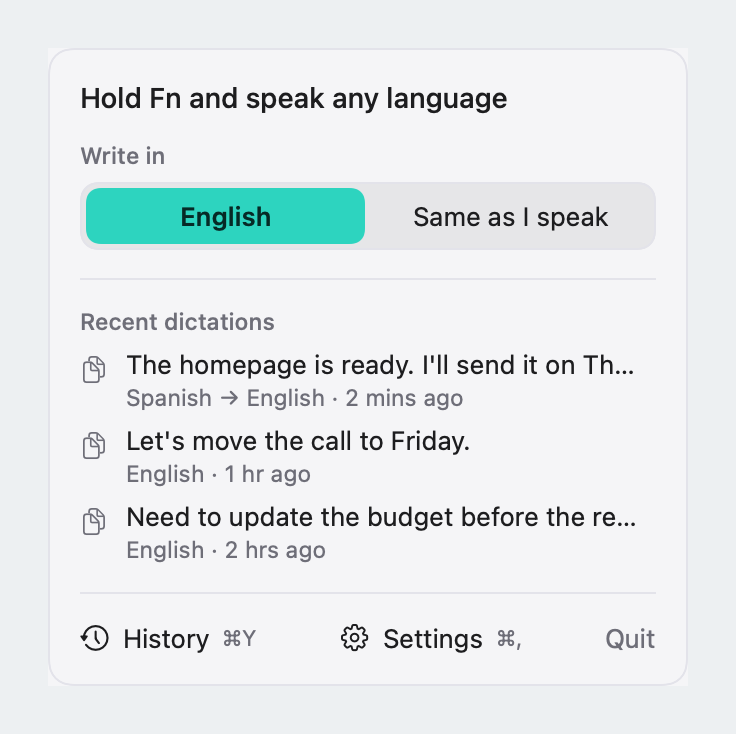
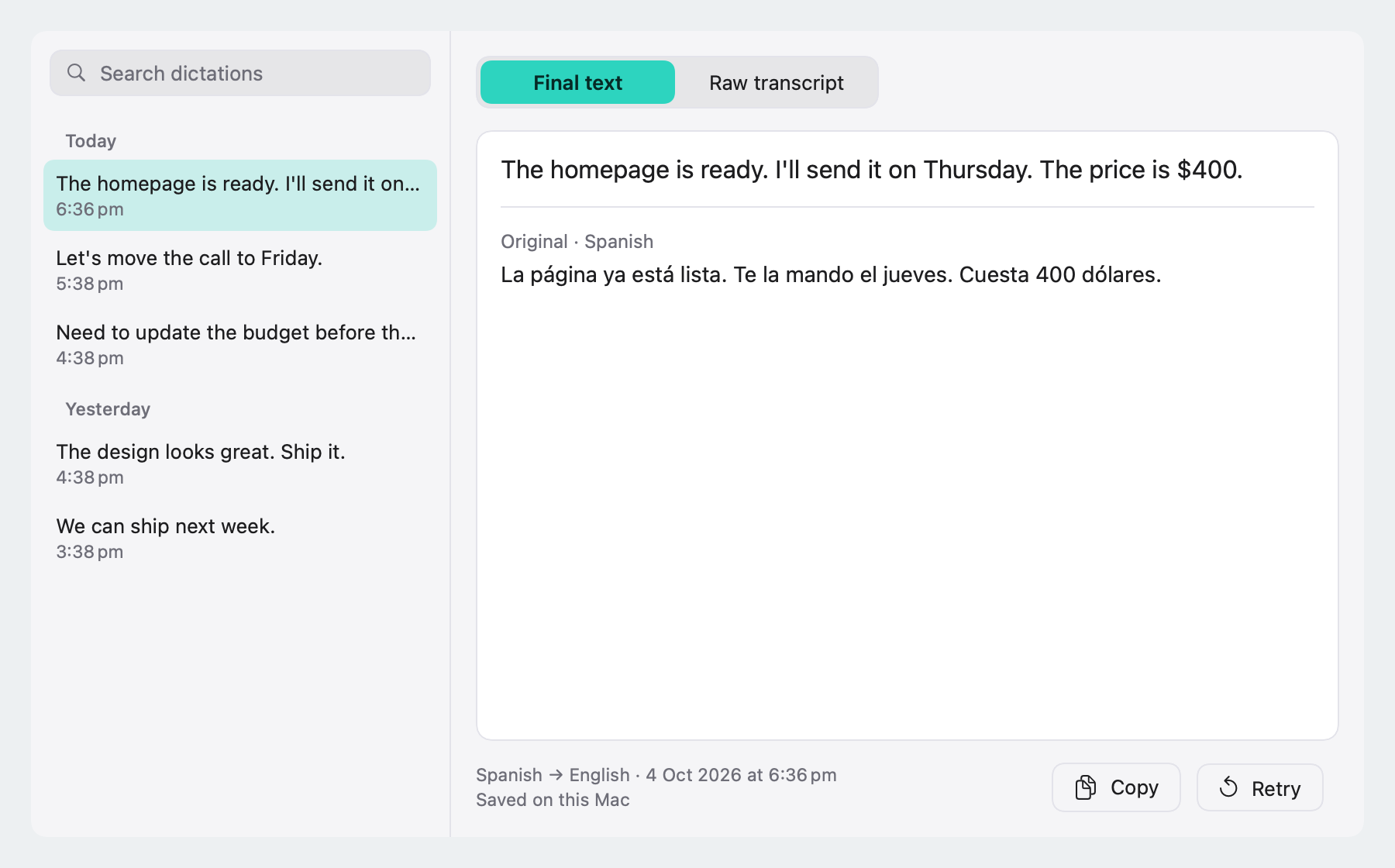
Every dictation is saved on this Mac, searchable, with the original next to the English.
um, so the launch is like on thursday→The launch is on Thursday.
Clean drops the ums and tidies numbers and dates. Exact keeps every word you said.
Your voice becomes text on your Mac and the audio is thrown away. Speaketti only goes online to activate your licence and check for updates, and never sends what you say.
Read the privacy policy →Speaketti · while you dictate“De klant wil de presentatie een dag eerder zien.”→ The customer wants to see the presentation a day earlier.
Try it free for 3 days. Launch price: the first 100 licences are $5, then $9, $14 and $19.
once, for one Mac, with every version 1 update
macOS 15 or later · Apple silicon · 7-day refund
Speech recognition and translation both run on your Mac, so it works with the Wi-Fi off. Speaketti goes online only to activate your licence and check for updates. No account, no analytics.
English, Spanish, French, German, Italian, Portuguese, Dutch, Polish, Russian, Ukrainian, Swedish, Danish, Finnish, Czech, Slovak, Croatian, Hungarian, Romanian, Bulgarian and Greek. Speaketti works out which one you're speaking.
Download Speaketti and use it for 3 days. If you like it, buy a licence and paste the key into Settings › Licence. Your history and settings carry over.
Same app and same updates at every step. Buy early and you keep everything that comes with version 1.
Email hello@speaketti.com within 7 days of buying and we'll refund you in full. The details are in our refunds and terms.
English speech goes straight in; only translations wait for you. Trust it and want to skip the check? Turn off “Check translations before inserting” in Settings. Already inserted? ⌘Z undoes it.
Hold Fn for a quick sentence and let go to insert. For longer dictation, double-tap Fn and talk freely; tap Fn once (or click the green button in the bubble) to insert. Esc cancels either way.
Intel Macs aren't supported.
The speech and translation models ship inside the app, so it works the moment you open it, even offline. It needs about 1 GB of free space.
Write to hello@speaketti.com with your Mac model, macOS version, and what happened. Questions about privacy? See our privacy policy.